
Public beta on TestFlight

Plan trips in stages.

Etappa plans trips with several stages, like a holiday home, a ferry, a hotel and the drives in between. It also tells you what needs doing next.

  • Free beta
  • iPhone & iPad, iOS 18 or later
  • No tracking, no ads
Etappa on iPhone: the trip “Skandinavien 2027” with a fjord panorama, and below it a timeline of stays and ferries across Denmark, Norway and Sweden.

What Etappa takes off your plate

One trip, many stages, and you always know what’s next.

Chain and board

The whole trip at a glance

On iPhone your stages line up as a chain, and on iPad you see them as a board. Both come with a timeline and the drive times.

  • The timeline shows every country you pass through.
  • Etappa works out the drives and crossings between stages for you.
  • Each stage shows no more than one next task, and the Tasks tab has the full list.
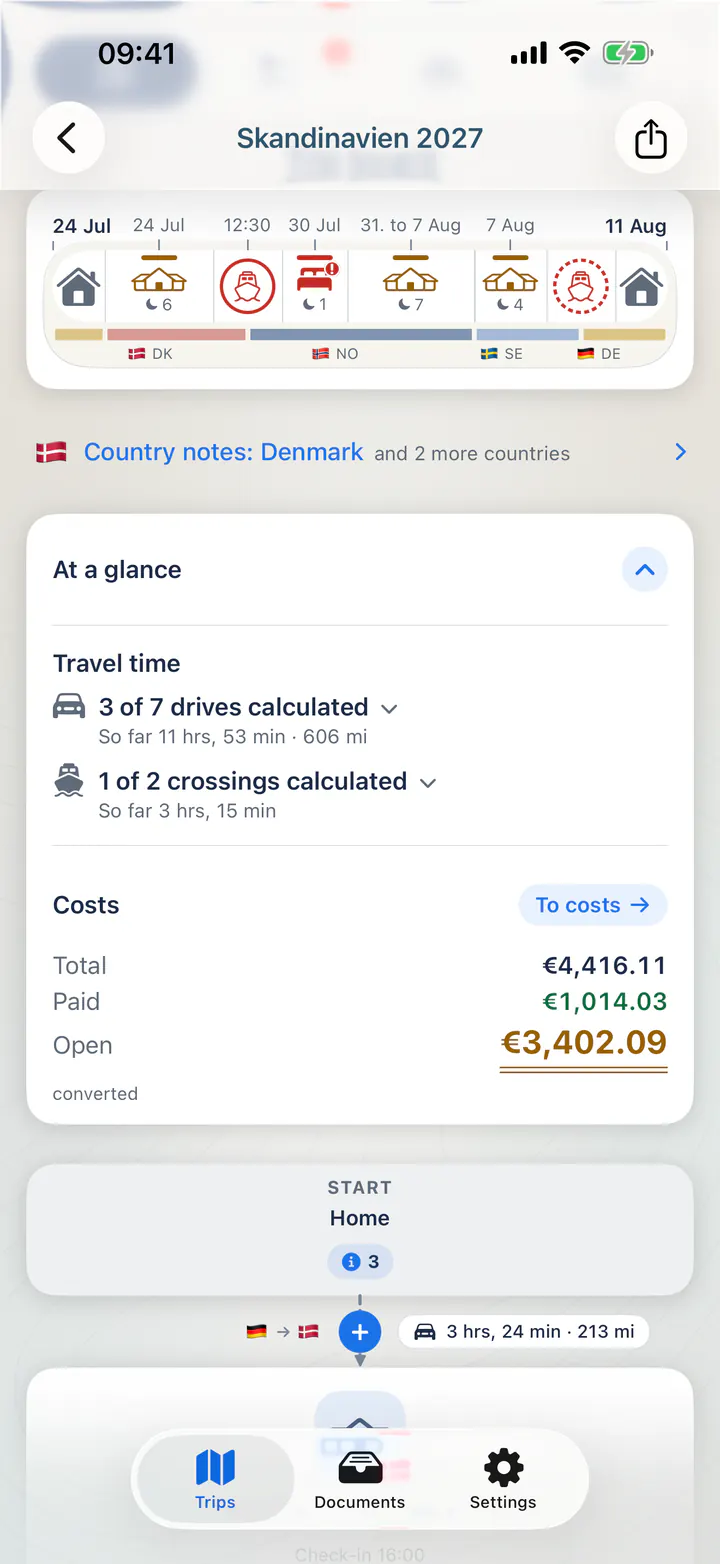
The trip timeline with a country band, and the expanded overview: calculated drives and crossings, total cost, paid and still open.

Booking import

Share a booking and you’re done

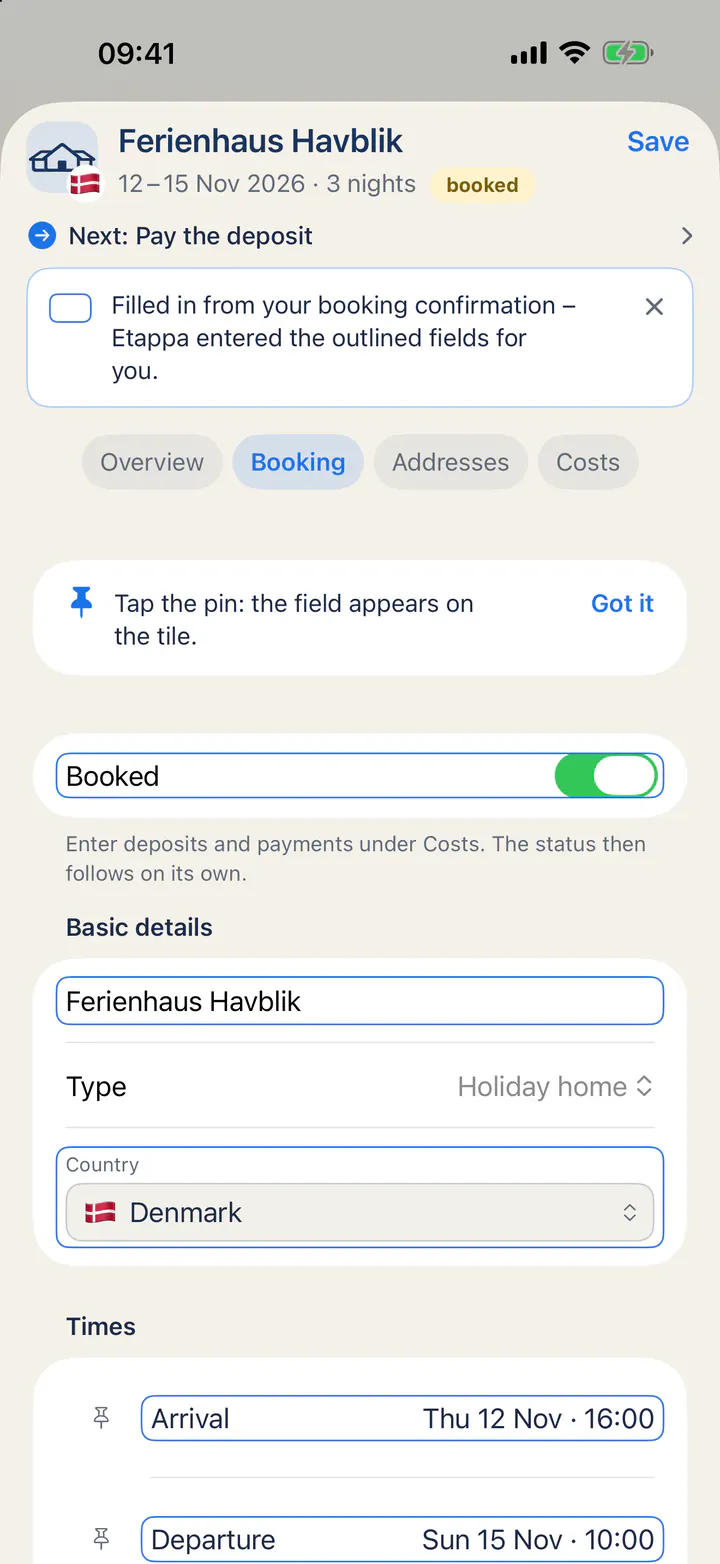
Share a PDF, an email or a booking page with Etappa. It reads the dates, address, price and deadlines right on your device.

  • Anything it recognises is outlined, so you can check it at a glance.
  • Optionally, Apple’s on-device AI model can help recognise bookings.

This is still experimental and needs a supported device. Please look over what was recognised before you accept it.

A shared booking turned into a stage: Etappa filled in name, country and arrival and outlined the fields so you can check them quickly.

Deadlines and costs

Nothing slips through

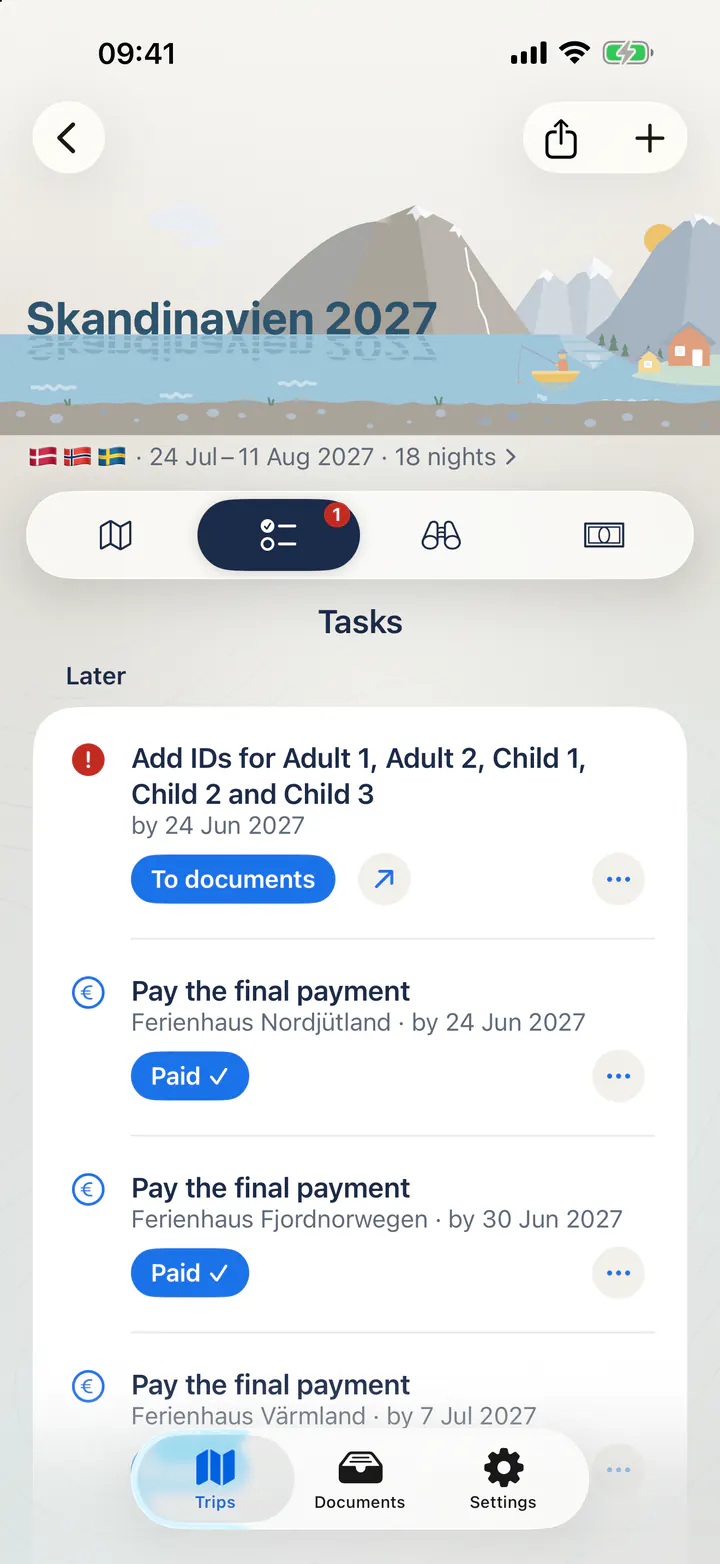
Etappa reminds you of deadlines and loose ends, such as a deposit, a vignette or toll, your IDs, or a night that still has no place to stay.

  • Every payment has a due date, and one tap on “Paid” ticks it off.
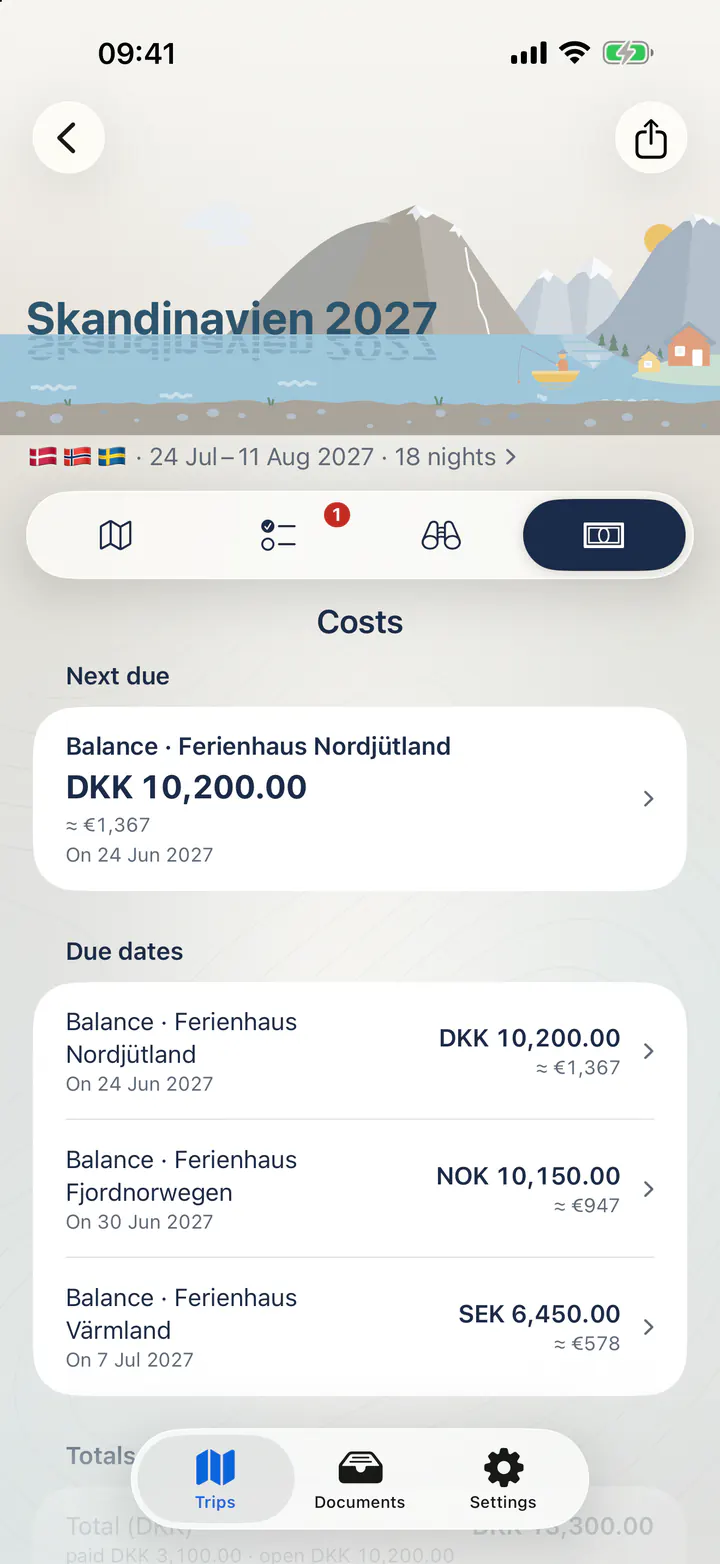
  • Foreign currencies are converted at European Central Bank rates.
The Tasks tab: add IDs, and several final payments with due dates, each with a “Paid” button.
The Costs tab: payments in Danish, Norwegian and Swedish kroner, each with an approximate euro amount (≈) and a due date.

30 countries

Country notes with sources

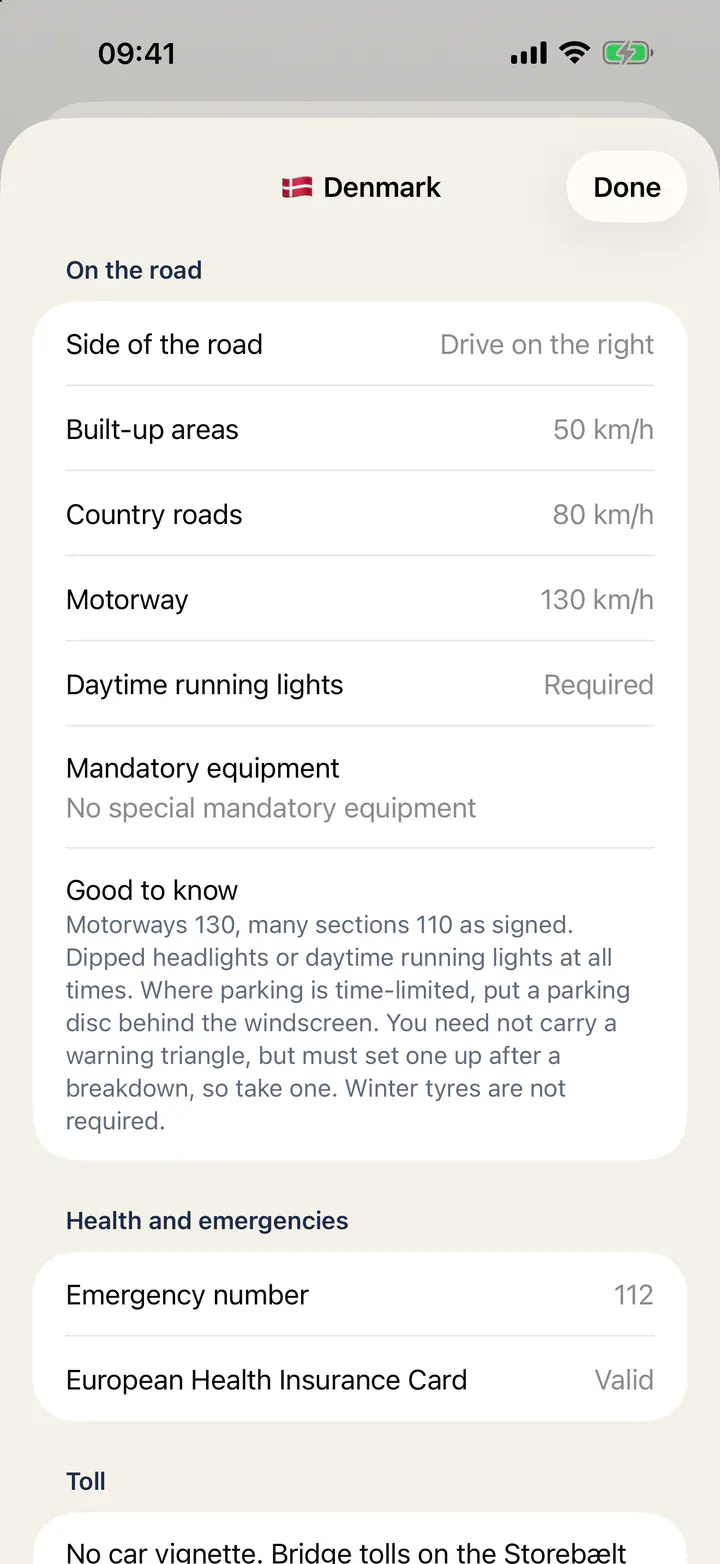
For 30 countries, Etappa covers entry requirements, tolls, mandatory equipment and traffic rules, each with a link to the official source.

The notes are there to help you double-check. They aren’t legal advice, and there’s no guarantee that a rule still applies.

Country notes for Denmark: side of the road, speed limits, daytime running lights, emergency number and toll rules at a glance.

On iPad

Your trip as a board

Every stage gets its own card, whether it’s a holiday home, a ferry or a hotel, with the drives and crossings in between. On iPhone the same trip appears as a chain. Etappa picks the layout that suits your device.

Illustration of the iPad board with the sample trip

Also included

Made for families and long trips

Trip folder

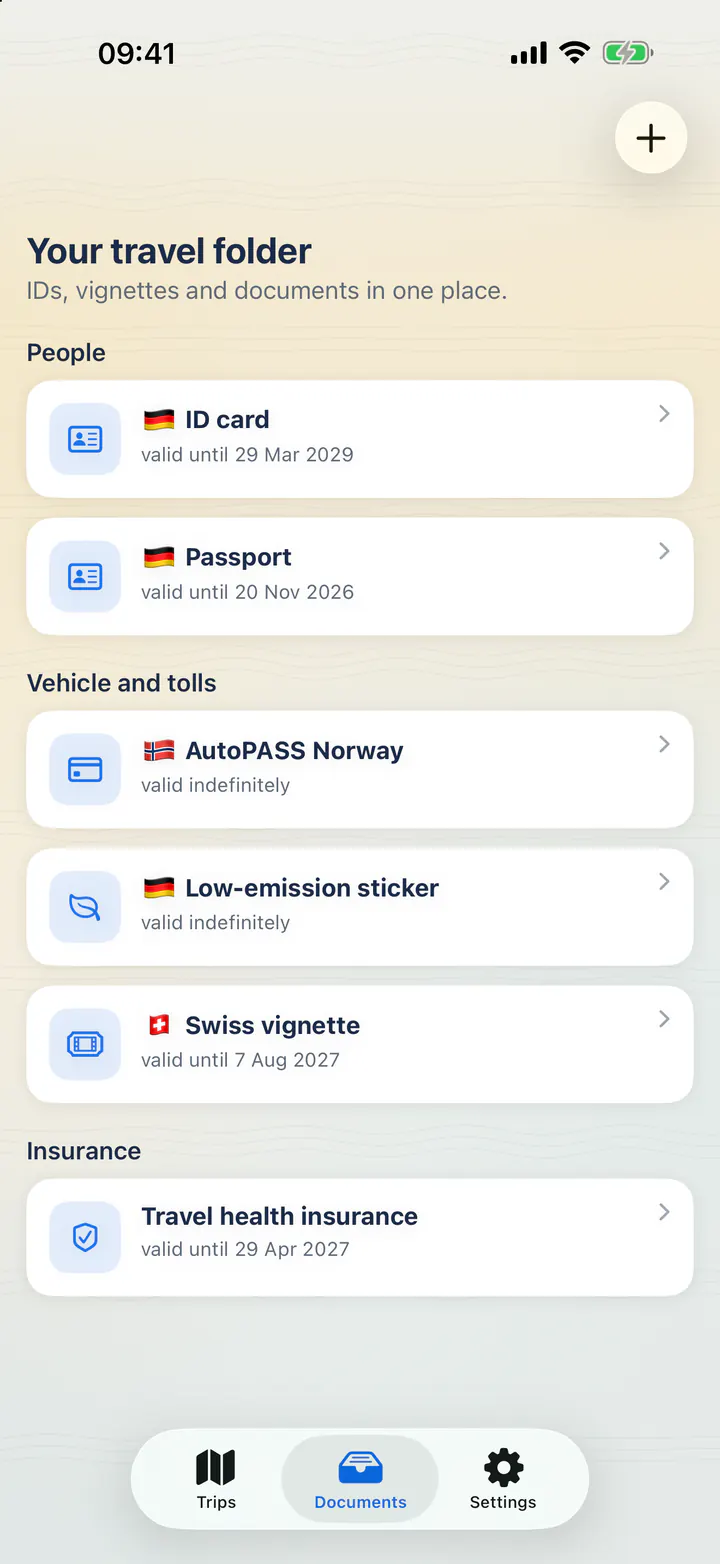
Keep your travel documents together in the trip folder. For an ID, Etappa saves only the type, expiry date and nationality, never the number.

The trip folder with IDs, a vignette, a toll account and insurance, each with country and expiry date but no numbers.

For the whole family

Share a single trip or your whole home through iCloud, for example with your family. Each person is an owner, an editor or a viewer.

Discover

Find bakeries, restaurants, supermarkets, beaches and walks near where you’re staying, with Apple Maps.

Trip themes

Each trip gets its own theme, such as the coast, the mountains, a fjord or a landmark. Some of them are gently animated.

Eight languages

Dates, times, numbers and currencies always follow the region settings on your device.

  • English
  • Deutsch
  • Français
  • Italiano
  • Español
  • 简体中文
  • 日本語
  • 한국어

Your data

Your trip stays with you.

There are no ads and no tracking, and you don’t need an Etappa account. Your trip data lives on your device and, if you like, in your own iCloud account.

No ads, no tracking

Etappa doesn’t show you ads and doesn’t track what you do.

No account, no Etappa server

You don’t create an account with Etappa, and there’s no Etappa server holding your trip data.

On your device and in your iCloud

Your trips are saved on your device. If you turn on iCloud, they also sync via your own iCloud account. The developer doesn’t read them.

Location only if you want it

Etappa only uses your location if you turn on arrival reminders. Address searches and travel times go to Apple Maps without the names of your bookings.

Etappa doesn’t replace your ID or your tickets.

Read the full privacy policy

Free beta

Try Etappa now

The beta is free to try. I’d really like to hear how you get on with it, and where something is missing or gets in your way.

Join the beta

You’ll need an iPhone or iPad running iOS or iPadOS 18 or later. As this is a beta, please don’t rely on the app alone for important travel details, and keep your tickets and IDs as you normally would.

  1. Install TestFlight. Get Apple’s free “TestFlight” app from the App Store.
  2. Open the beta link. Tap “Join the beta”, then “Accept” and “Install” in TestFlight.
  3. Send feedback with a screenshot. Take a screenshot in Etappa, tap “Share Beta Feedback” and add a short note about what you noticed.

FAQ

Questions about the beta

What does the beta cost?

Nothing. Testing Etappa through TestFlight is free.

Which devices does Etappa run on?

It runs on iPhone and iPad with iOS or iPadOS 18 or later. On iPhone you see your trip as a chain, on iPad as a board.

Is there an Android version?

No, and there are no plans for one. Etappa is made for iPhone and iPad.

Do I need an account?

No, there’s no Etappa account. To sync between your devices or share a trip with your family, Etappa uses your own iCloud account.

How do I send feedback?

Take a screenshot in Etappa and tap “Share Beta Feedback” in TestFlight, or email support@getetappa.com.

More questions? Visit Support